
◈ Enterprise⌁ System
OBP
Problem: Teams managed fragmented operational tasks across disconnected tools, creating delays and low visibility.
Goal: Centralize operations into a scalable enterprise workflow platform with clearer task ownership and stronger team coordination.
Role: Product UX/UI Designer · Enterprise ContextResponsibilities: IA, Workflow Design, Design System, Prototyping, Front-End CollaborationTools: Figma, Jira, NotionTimeline: 2024Platform: Enterprise Web DashboardFocus Area: Workflow OptimizationProcess: Workflow audits, user-flow mapping, iterative wireframes, component standardization, and product-engineering reviews similar to IBM enterprise delivery rhythmsConstraints: Enterprise complexity, cross-functional dependencies, scalability requirements, and system-consistency standardsOutcome: Improved workflow clarity, reduced task ambiguity, and stronger multi-team operational alignment
Enterprise UXDesign SystemProduct StrategyDashboard Design
View Case Study
✚ Health UX◔ Research
Vitalia
Problem: Patients faced friction during onboarding and had limited confidence navigating key service flows.
Goal: Deliver a clearer, more accessible service journey that improves onboarding comprehension and trust.
Role: Product UX Designer · Enterprise Service ContextResponsibilities: UX Research, Information Architecture, Interaction Design, PrototypingTools: Figma, NotionTimeline: 2024Platform: Healthcare Service PlatformFocus Area: Accessibility and Service UXProcess: Journey mapping, hierarchy redesign, flow testing, interaction refinementConstraints: Diverse user profiles, accessibility requirements, multi-step onboardingOutcome: Clearer navigation, stronger onboarding completion confidence, improved usability
AccessibilityUX ResearchService Design
View Case Study
✦ AI◌ Mobile
Glow Yourself
Problem: Personalization experiences felt generic and did not guide users toward meaningful product outcomes.
Goal: Build a mobile-first flow that personalizes recommendations and improves engagement quality.
Role: UX/UI Designer · Product StrategyResponsibilities: Product Design, User Flows, Interaction Design, PrototypingTools: Figma, FigJamTimeline: 2023Platform: Mobile AppFocus Area: AI ExperienceProcess: Persona assumptions, flow modeling, UI iterations, usability checksConstraints: Limited user data, small-screen prioritization, retention goalsOutcome: More contextual recommendations and improved end-to-end flow coherence
AI ExperienceMobile UXProduct Strategy
View Case Study

⌘ Product◍ Flow
I Dog You
Problem: Booking-related interactions lacked flow continuity, causing hesitation and incomplete actions.
Goal: Simplify decision points and improve booking confidence through clearer UX structure.
Role: UX Designer · Workflow OptimizationResponsibilities: Information Architecture, User Flows, Interaction Design, PrototypingTools: Figma, MiroTimeline: 2023Platform: Mobile Service AppFocus Area: Product WorkflowProcess: Task analysis, flow simplification, iterative screens, collaborative reviewsConstraints: Multi-step flow complexity, responsive behavior, trust signalsOutcome: Streamlined booking path with stronger guidance and reduced user uncertainty
Workflow OptimizationProduct UX
View Case Study

▣ UI System⎔ Strategy
Swim Go
Problem: Service discovery and conversion paths lacked hierarchy, reducing task efficiency and user direction.
Goal: Establish a premium product structure that clarifies navigation, priorities, and conversion flows.
Role: UX/UI Designer · Product StrategyResponsibilities: Product Strategy, IA, Interaction Design, UI System DefinitionTools: Figma, NotionTimeline: 2023Platform: Web PlatformFocus Area: Product StrategyProcess: Content hierarchy mapping, wireframe iterations, component consistency passConstraints: Mixed user intents, conversion pressure, design consistency across modulesOutcome: Better content clarity, improved navigation flow, and stronger conversion-oriented structure
Design SystemProduct StrategyUX Research
View Case Study

◫ Community⟡ Trust UX
Bookswap
Problem: Community exchanges lacked structured trust and clear decision support between participants.
Goal: Build a safer, simpler exchange experience with transparent actions and user confidence cues.
Role: UX/UI Designer · Product StrategyResponsibilities: UX Strategy, Interaction Design, UI Design, PrototypingTools: FigmaTimeline: 2023Platform: Community Web ProductFocus Area: Trust and Decision UXProcess: Scenario mapping, trust pattern integration, iterative interaction tuningConstraints: Peer-to-peer trust dynamics, low-friction steps, clarity of actionsOutcome: Improved decision transparency and smoother exchange workflows
Product StrategyCommunity UX
View Case Study
◧ Form UX⌬ Conversion
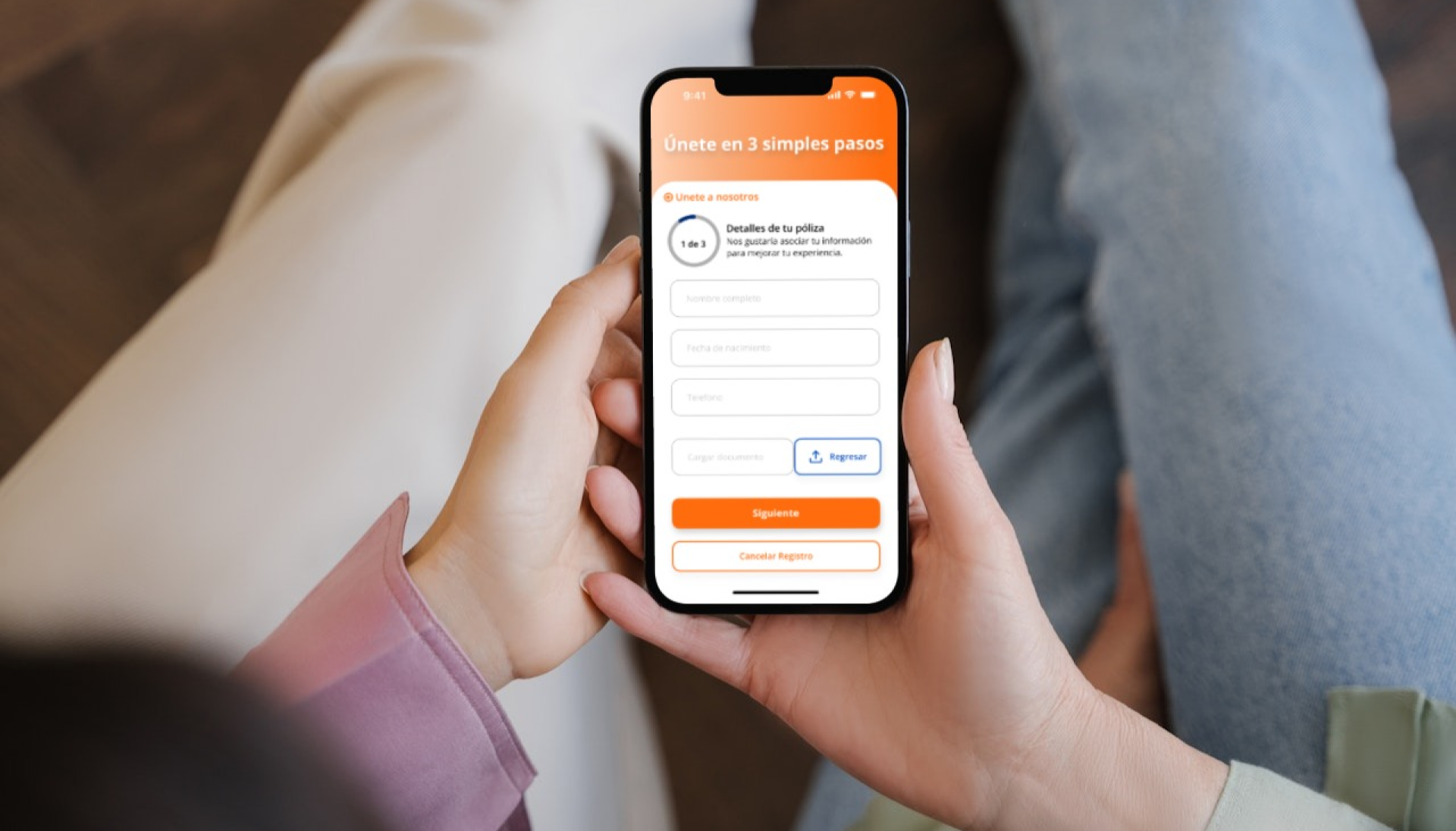
GNP
Problem: Registration flow complexity produced hesitation and low completion consistency.
Goal: Reduce friction by improving form architecture, feedback states, and progression guidance.
Role: UX Designer · Workflow OptimizationResponsibilities: UX Research, Form UX, Interaction Design, Iteration TestingTools: Figma, MiroTimeline: 2024Platform: Web Form FlowFocus Area: Conversion UXProcess: Funnel analysis, field prioritization, microcopy updates, validation redesignConstraints: Compliance fields, information density, responsive usabilityOutcome: Better form comprehension and more consistent user progression
AccessibilityConversion Optimization
View Case Study

⌨ Front-End◉ Interaction
Juego Secreto
Problem: Interaction feedback needed clearer behavior to make game-like tasks understandable and responsive.
Goal: Build a clean interactive interface that demonstrates front-end logic and UX feedback timing.
Role: Front-End Designer · Product CollaborationResponsibilities: Interaction Design, UI Implementation, Front-End CollaborationTools: HTML, CSS, JavaScriptTimeline: 2023Platform: Interactive Web ExperienceFocus Area: Interaction DesignProcess: Logic mapping, feedback state design, implementation iterationsConstraints: Browser behavior consistency, quick response expectationsOutcome: More intuitive interaction flow and clearer user feedback loops
Front-EndInteraction Design
View Case Study
☰ Utility UX↳ Code
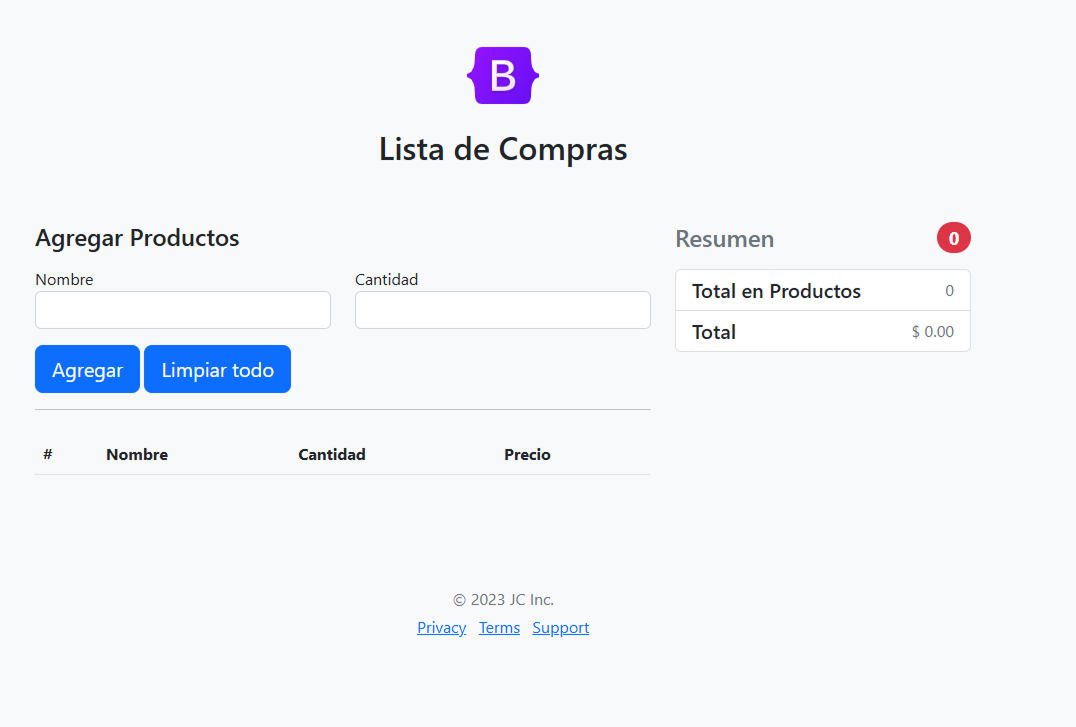
Shopping List
Problem: Basic utility tasks often become inefficient without clear prioritization and quick interaction patterns.
Goal: Create a lightweight, responsive utility with clear list management and minimal cognitive load.
Role: Front-End Developer · UX ImplementationResponsibilities: UI Design, Front-End Build, Interaction LogicTools: HTML, CSS, JavaScriptTimeline: 2023Platform: Utility Web AppFocus Area: UsabilityProcess: Task decomposition, quick iteration, responsive tuning, accessibility checksConstraints: Simplicity requirements, mobile responsiveness, interaction speedOutcome: Cleaner task flow and faster list management experience
UsabilityFront-EndAccessibility
View Case Study